Appearance
📦 Manage Assets
In this module, users manage asset records grouped under what are called "Asset Masters." Each Asset Master refers to a general item category (e.g., Dining Chair), while multiple individual assets (tagged and tracked) are managed under it.
🗂️ Asset Master List
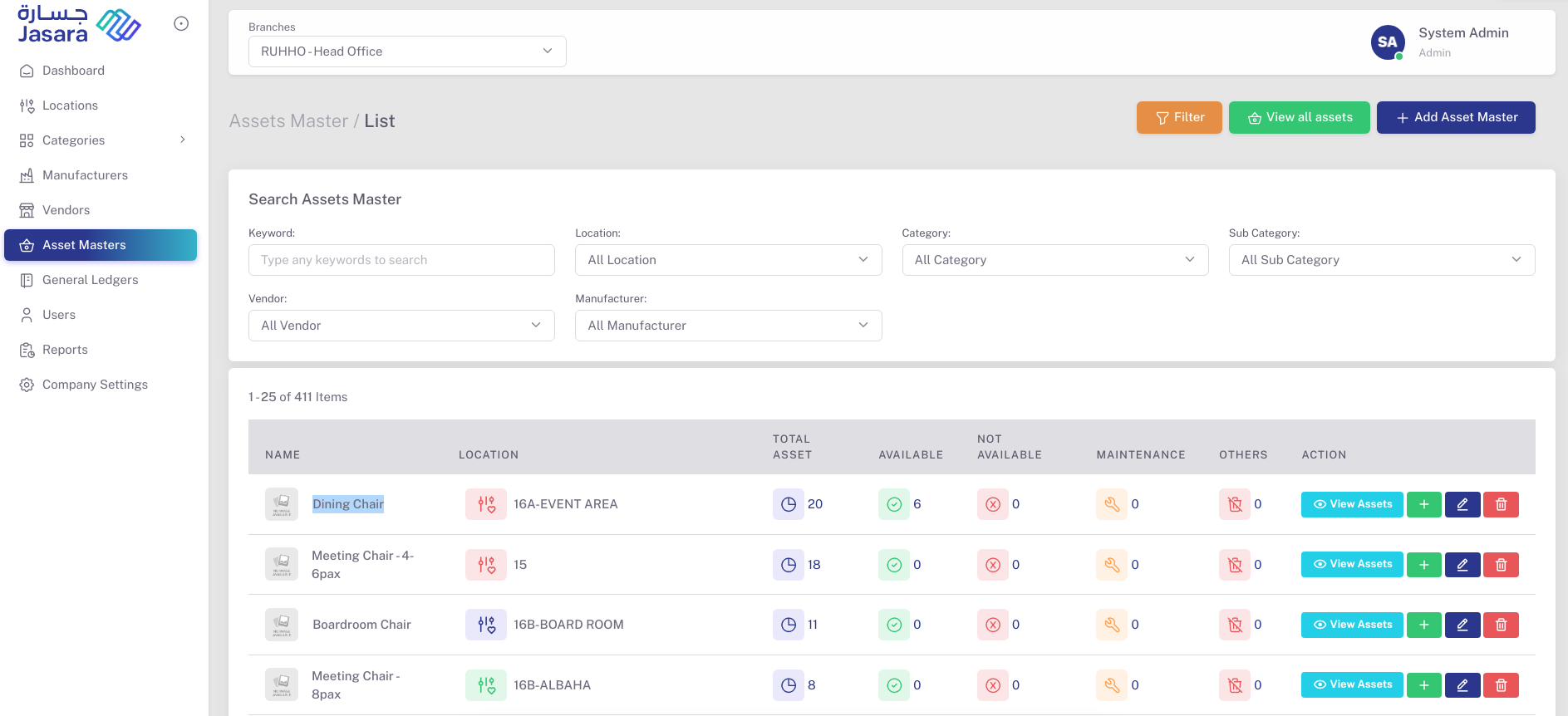
The Asset Master List gives a summarized view of all asset groups and their current status:
- Name: Asset Master name (e.g., Dining Chair)
- Location: Default assigned location
- Total Asset: Number of individual assets under this master
- Available / Not Available: Live count of active assets
- Maintenance / Others: Assets under maintenance or other statuses
- Actions:
- 👁️ View Assets: To list all individual assets under this master
- ➕ Add Asset: Add individual assets
- 🖊️ Edit: Edit Asset Master details
- 🗑️ Delete: Remove the Asset Master (only if no dependent records)
➕ Add Asset Master
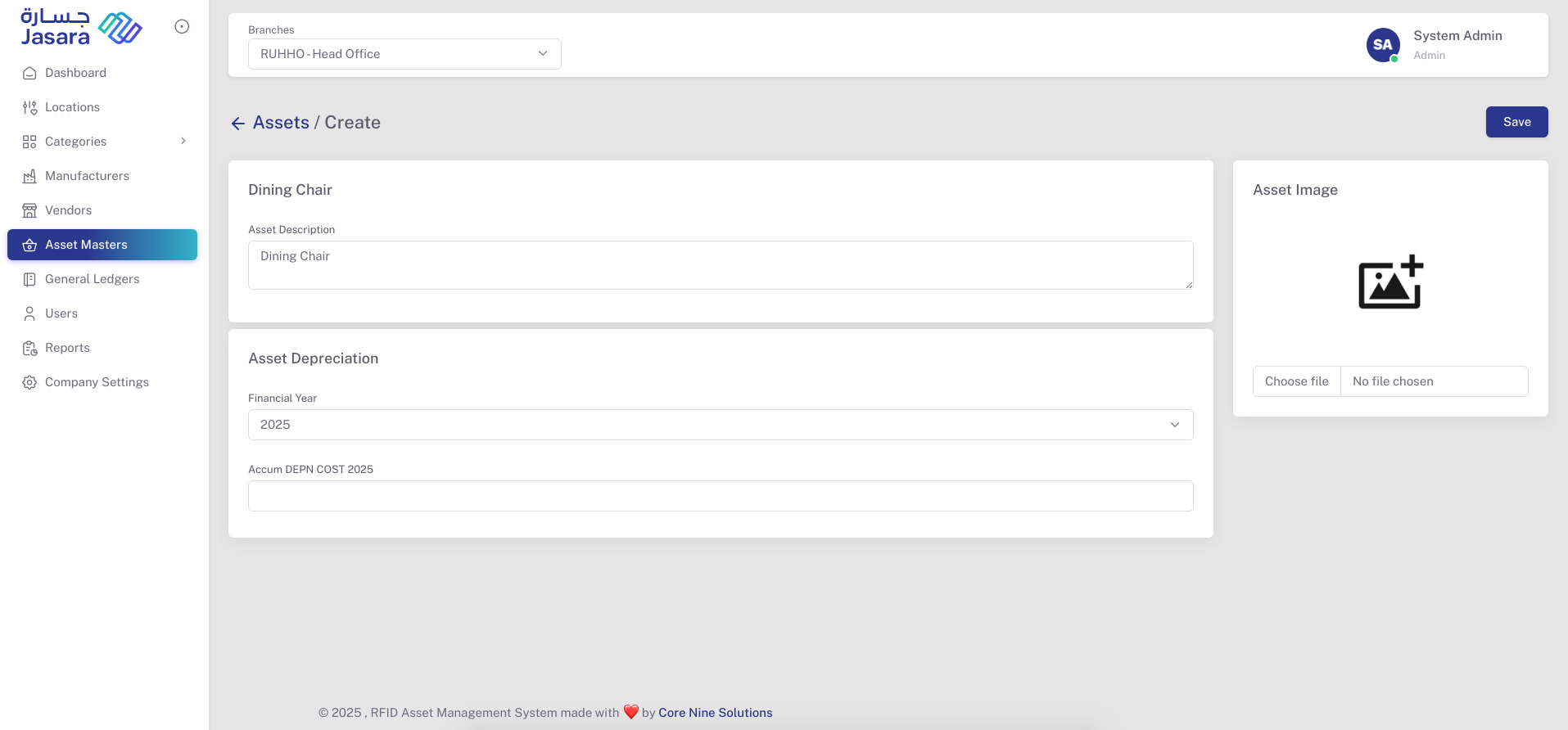
When you click + Add Asset Master, you’ll be taken to the creation screen where you fill the following:
- Asset Description
- Asset Image
- Financial Year
- Accumulated Depreciation Cost (per year)
Once saved, the Asset Master is listed in the main view and individual assets can be added.
👁️ View Assets under Master
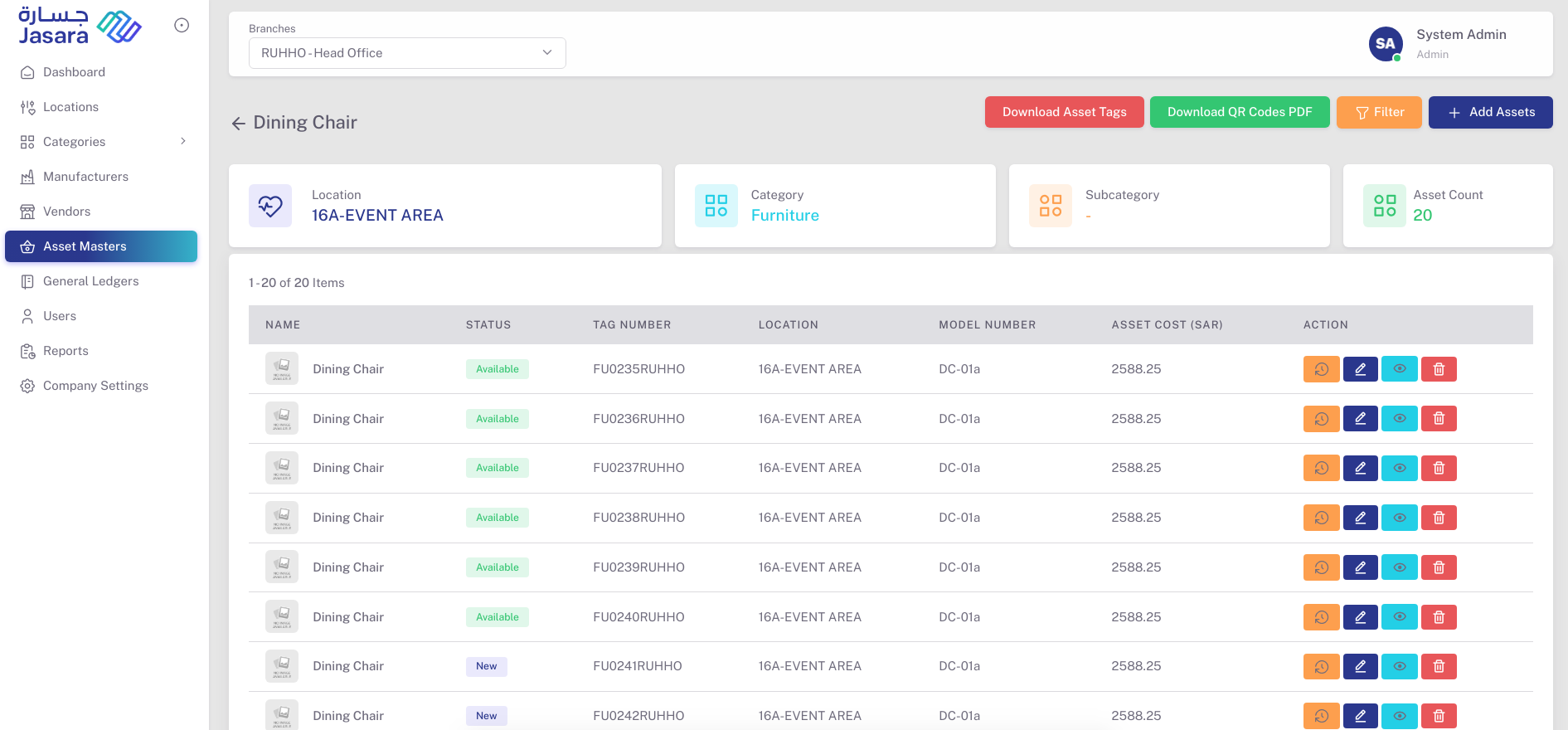
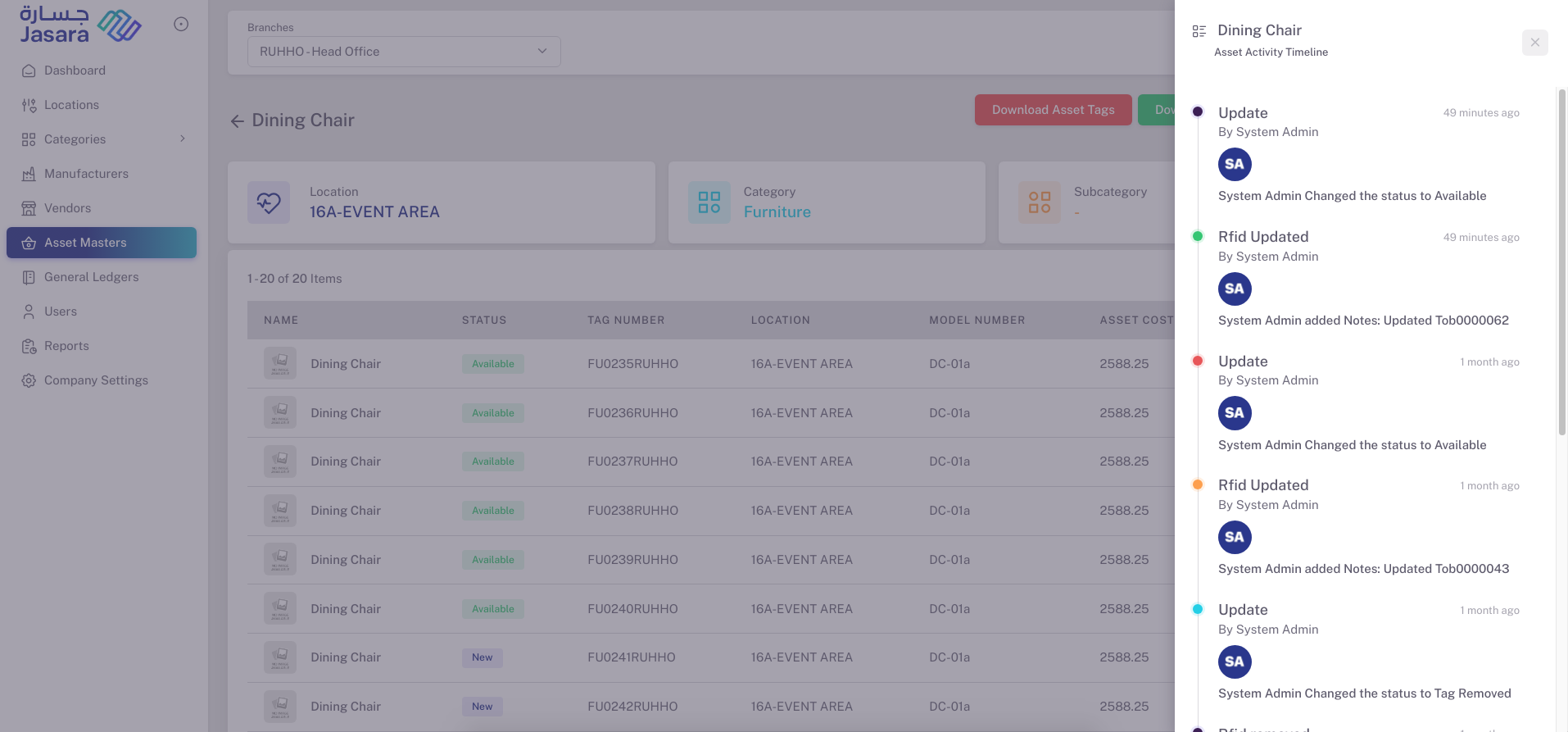
Clicking on "View Assets" opens the list of individual items under that master. Each row represents an individual tagged asset:
- Name: Pre-filled from the Asset Master
- Status: Available, New, Under Maintenance, etc.
- Tag Number: RFID/Barcode tag ID
- Location: Assigned physical location
- Model Number and Cost
- Actions:
- 🕒 Timeline: Shows all activities (e.g., tag updates, status changes)
- 🖊️ Edit Asset
- 👁️ View Detailed Info
- 🗑️ Delete Asset
You can also download asset tags or QR Codes using the buttons at the top right.
🔍 Asset Details View
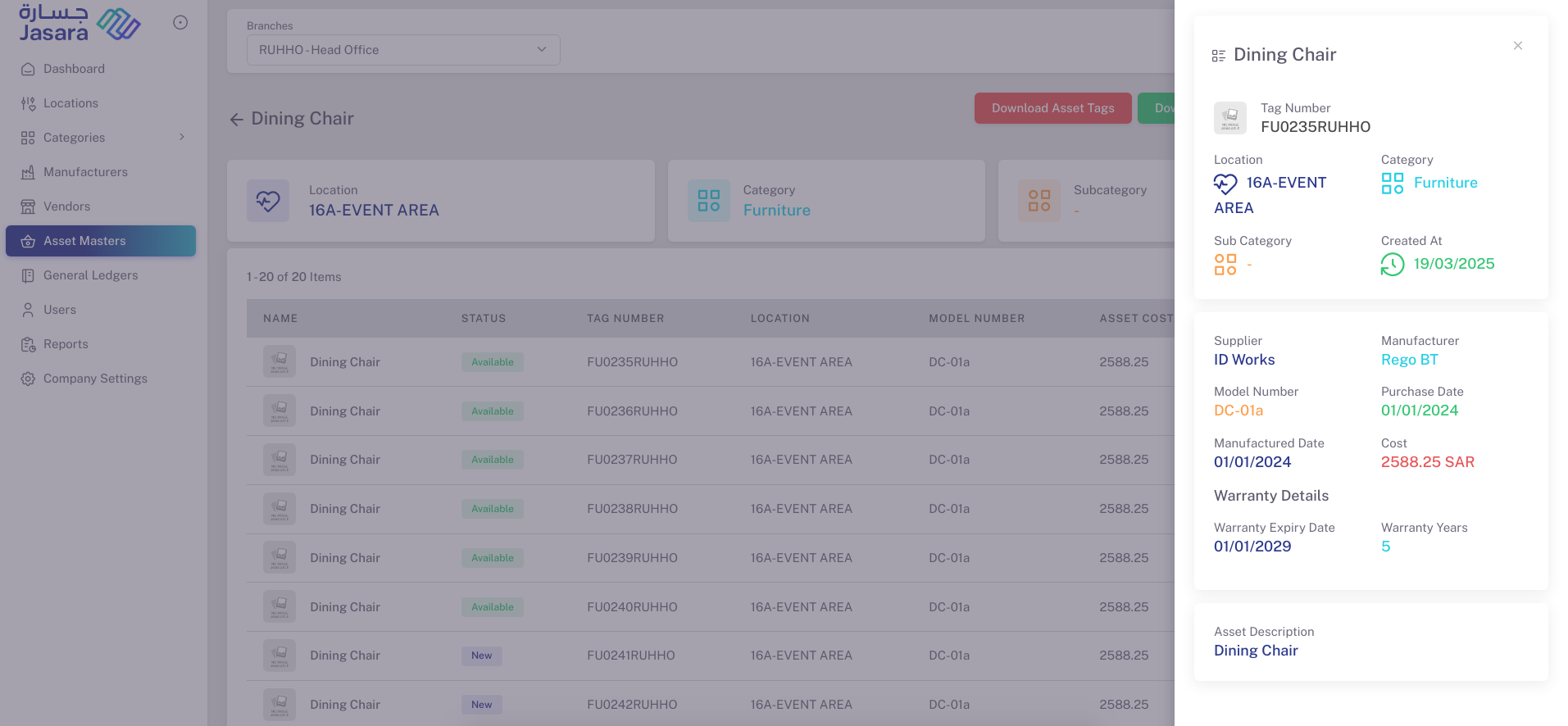
Clicking the 👁️ icon on an individual asset opens detailed data in a right sidebar:
- Tag Number, Location, Category, Subcategory
- Created At, Supplier, Manufacturer
- Model Number, Purchase Date, Manufactured Date
- Warranty Details
- Asset Cost, Description
🧾 Activity Timeline
Clicking the 🕒 icon opens a timeline log of the asset’s lifecycle updates:
- Status changes (Available, In Use, Tag Removed)
- RFID updates
- Notes added
- Timestamp and User info
This module ensures detailed tracking, visibility, and lifecycle history for every physical asset in the system.