Appearance
🛍 Manage Vendors
This section allows you to add, edit, and manage vendor information linked to asset procurement and maintenance. Vendors can be suppliers of equipment, service providers, or any external entity related to the asset lifecycle.
Vendor List
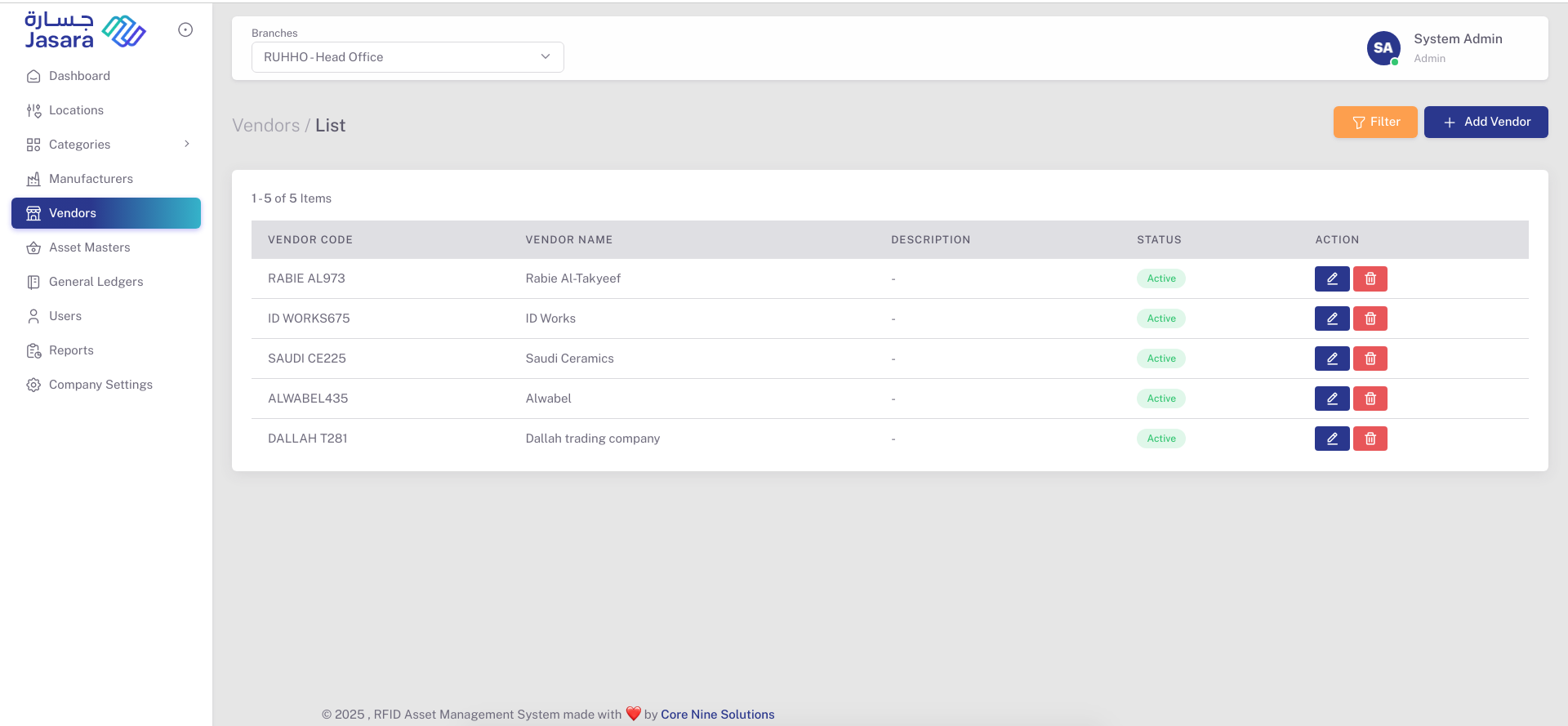
This screen displays a list of all vendors added in the system.
Features available:
- View Vendor Code, Vendor Name, Description, and Status
- Edit or Delete individual vendors
- Filter the vendor list
- Add new vendors using the Add Vendor button
Add / Edit Vendor
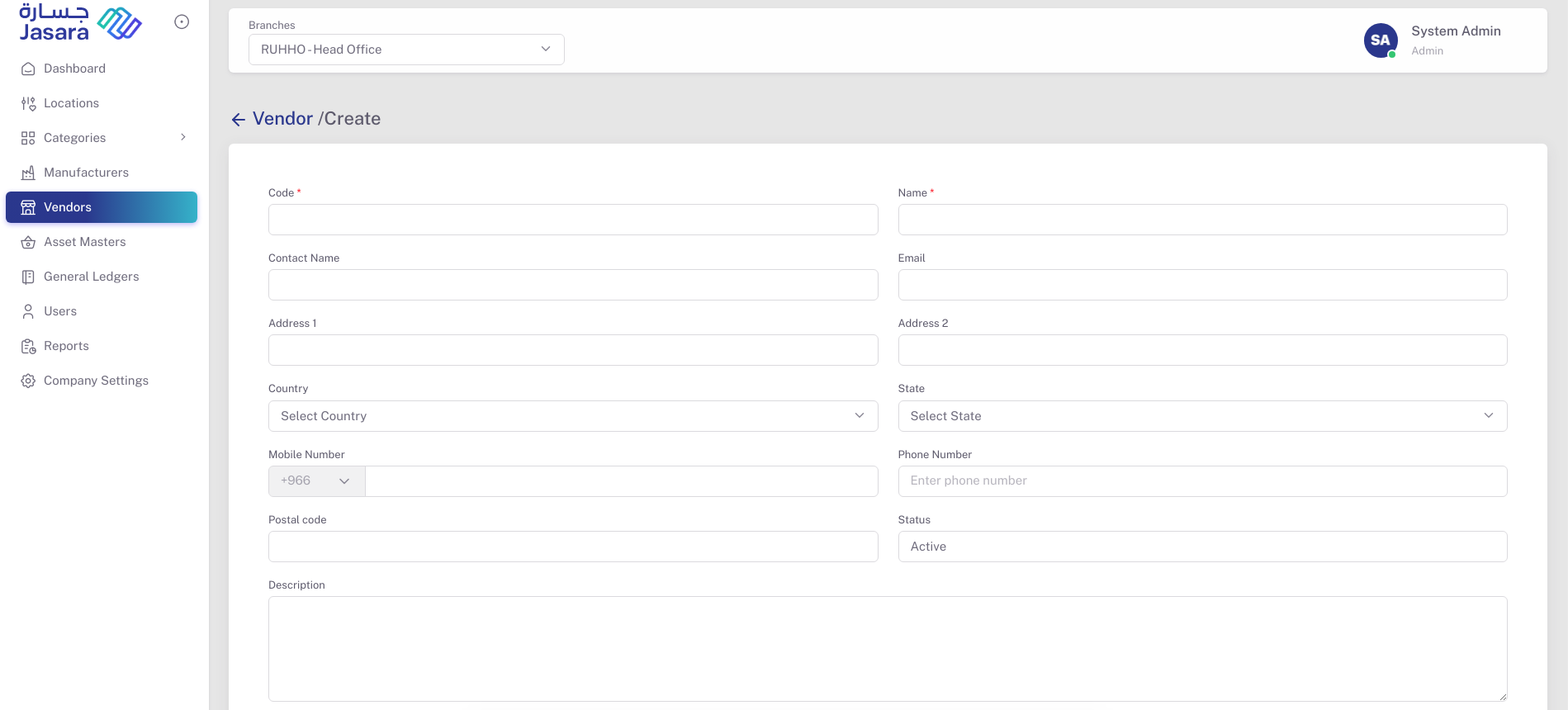
Clicking on Add Vendor or editing an existing vendor opens the vendor form.
Fields:
- Code* – Unique code for the vendor (Required)
- Name* – Name of the vendor (Required)
- Contact Name – Name of the vendor’s representative
- Email – Official email ID
- Address 1 – Primary address
- Address 2 – Secondary address (optional)
- Country – Dropdown to select the country
- State – Dropdown based on the selected country
- Mobile Number – Mobile number with country code
- Phone Number – Landline or alternate number
- Postal Code – Area postal/ZIP code
- Status – Active or Inactive
- Description – Additional remarks
Note: Fields marked with an asterisk () are mandatory.*
Actions
- Edit (🖊️) – Opens the vendor form in edit mode
- Delete (🗑️) – Deletes the vendor from the list