Appearance
📘 Manage General Ledgers
In this module, users can configure and manage General Ledger entries required for tracking asset-related costs and depreciation. These ledgers are essential for integration with finance and accounting systems.
📋 General Ledger List
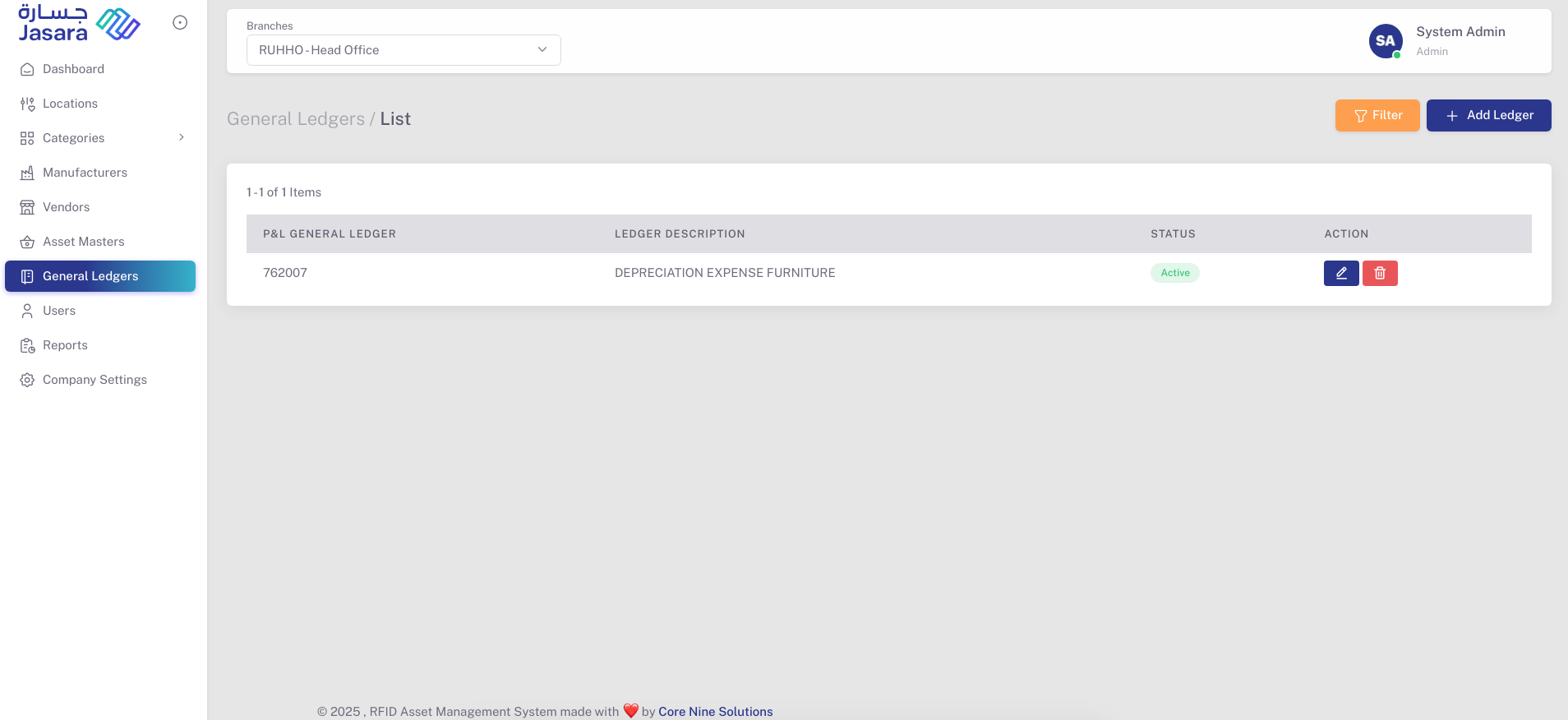
The General Ledger List provides an overview of all configured ledger entries:
- P&L General Ledger: The Profit & Loss ledger code.
- Ledger Description: Description for the corresponding ledger.
- Status: Active or Inactive
- Actions:
- 🖊️ Edit: Modify the existing ledger entry
- 🗑️ Delete: Remove the ledger entry (if not assigned)
➕ Add General Ledger
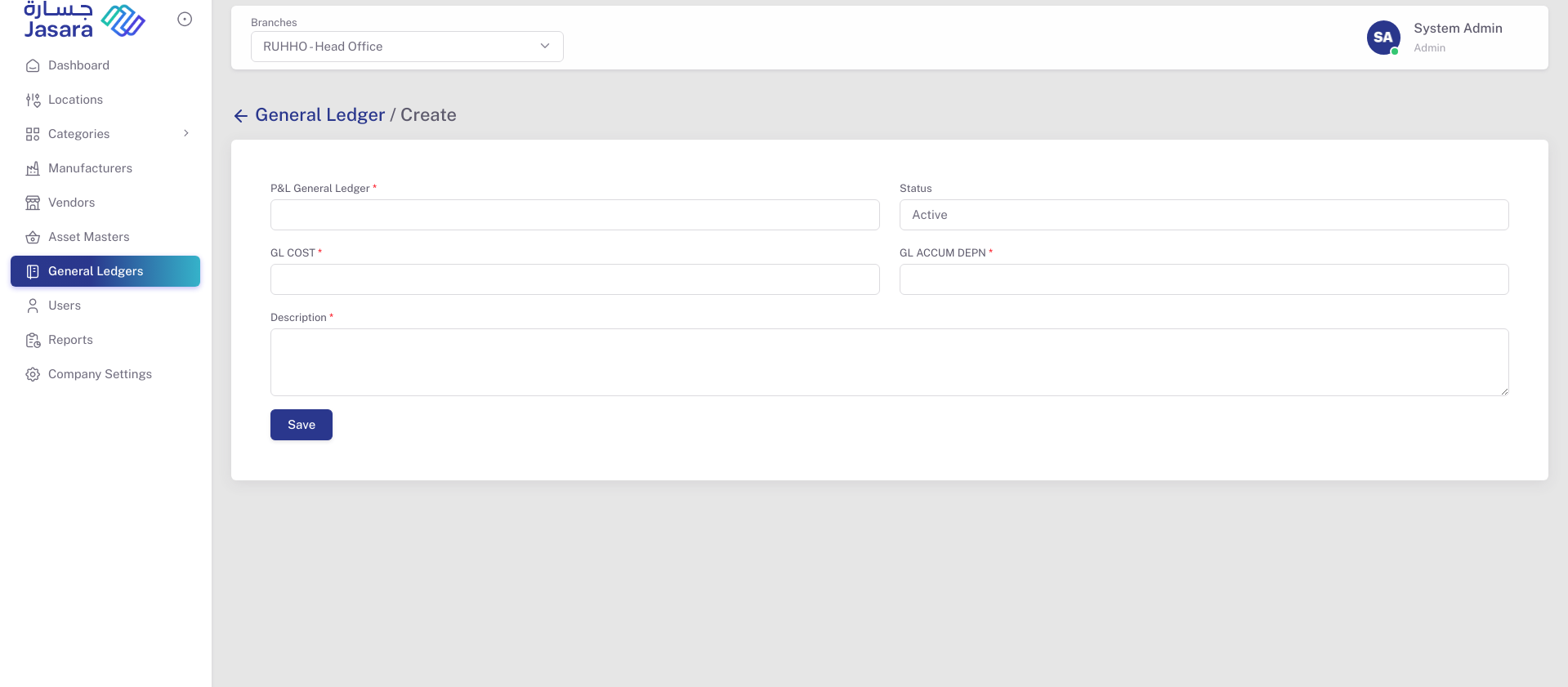
Click on + Add Ledger to add a new ledger entry. The following fields are required:
- P&L General Ledger: Ledger code for the Profit & Loss account
- GL COST: General Ledger for Asset Cost
- GL ACCUM DEPN: General Ledger for Accumulated Depreciation
- Description: Short description for the ledger purpose
- Status: Default is set to Active
Once saved, the ledger appears in the General Ledger List and can be used during asset configuration.
This section ensures accurate financial classification of assets and seamless ledger mapping in reports.