Appearance
📁 Reports
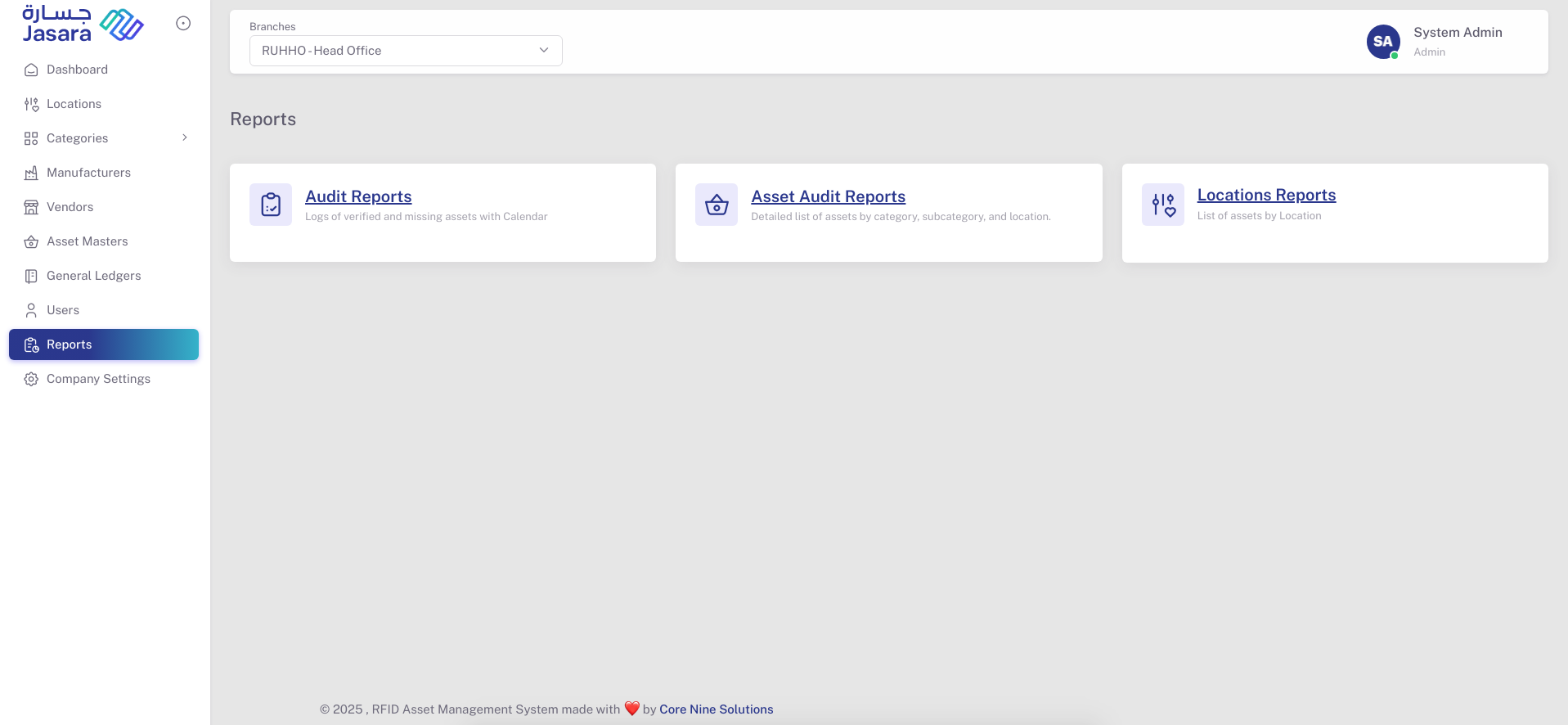
The Reports module helps administrators monitor asset status across different departments and audits. It includes three main types of reports that allow for detailed inspection of asset records, audit outcomes, and inventory status per location.
📋 Report Types
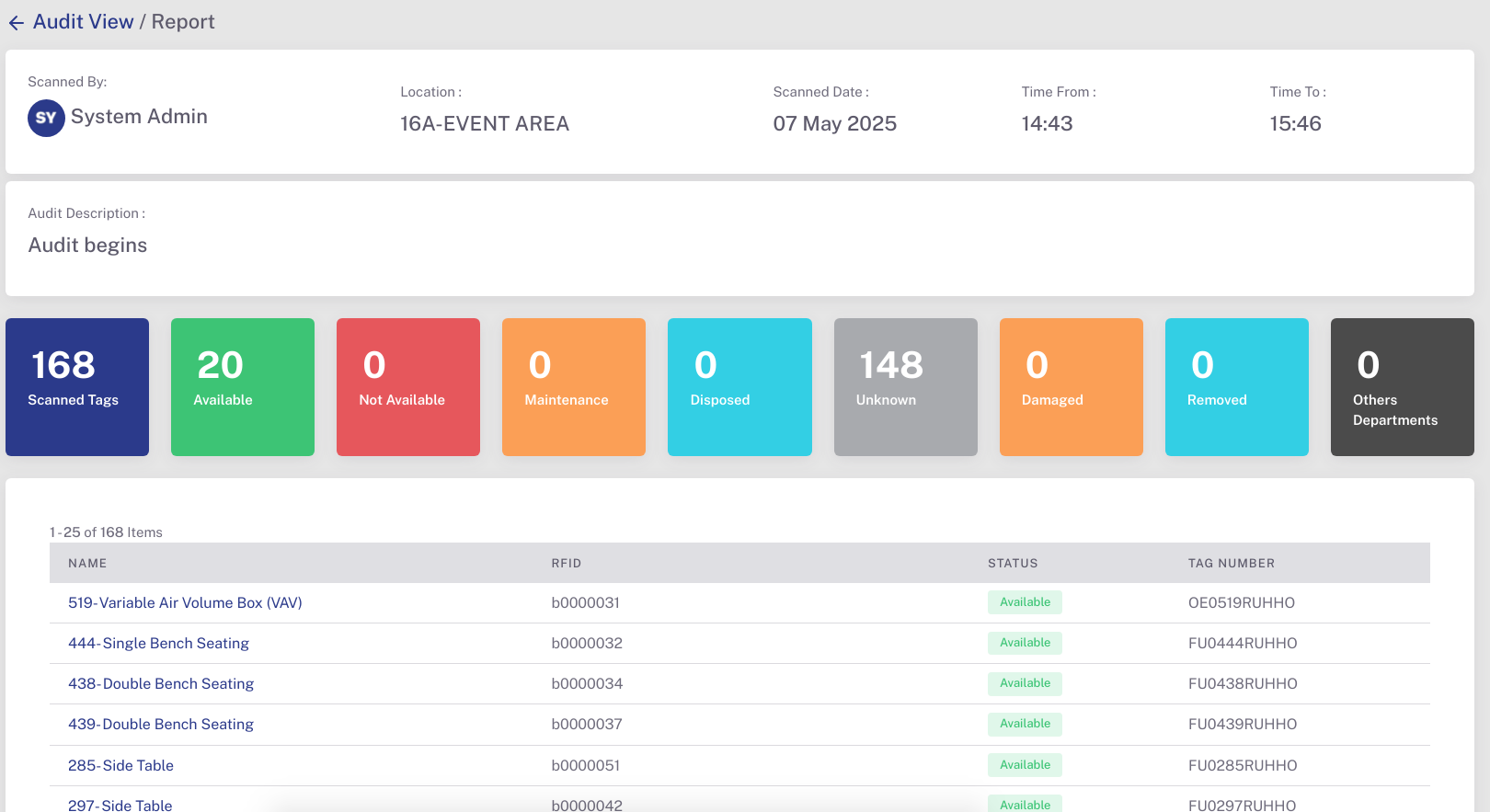
- Audit Reports
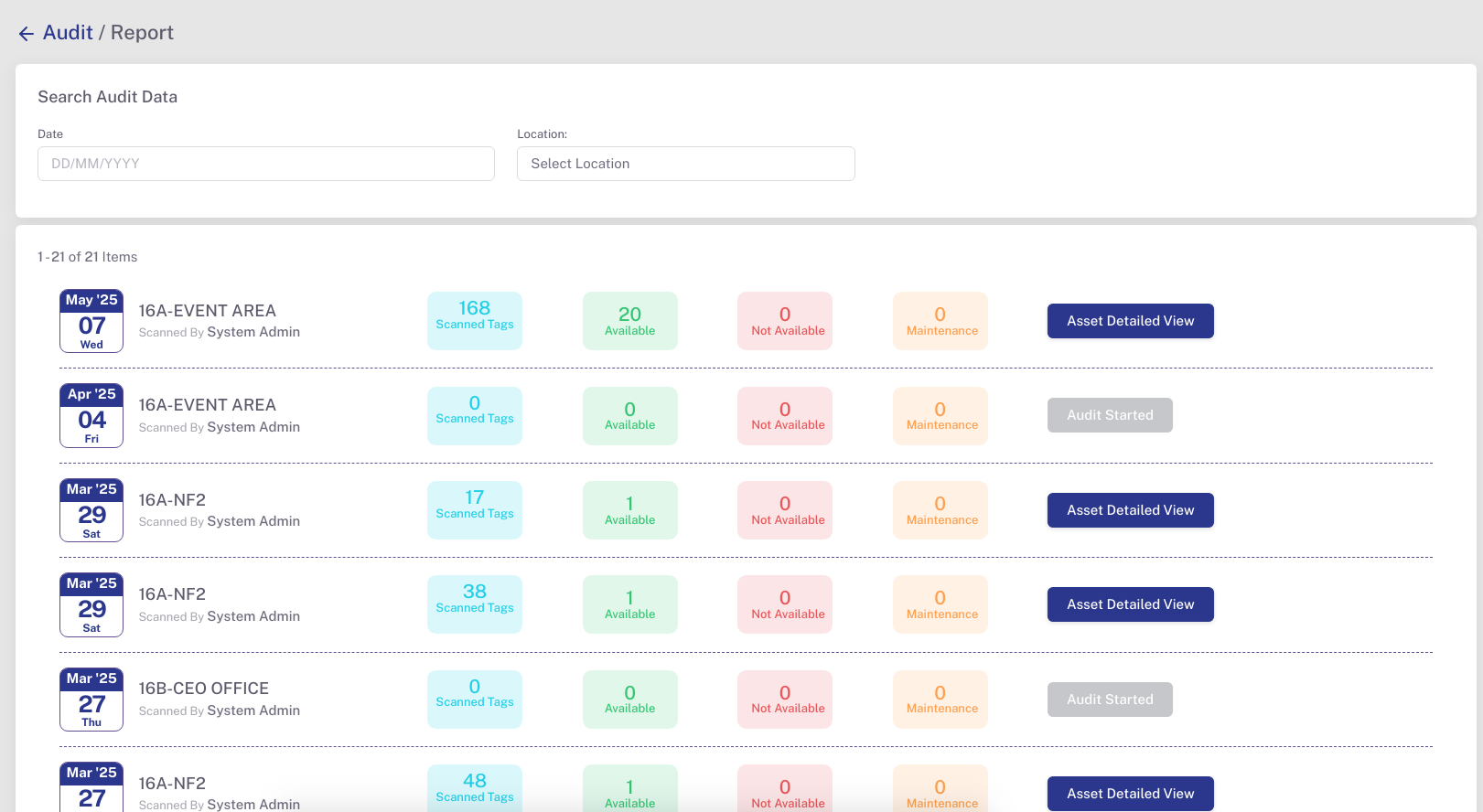
- Logs each audit event with a complete snapshot of the audit session.
- Displays who performed the audit, the location, scan time window, and overall scan count.
- Provides status breakdown of all scanned assets including:
- ✅ Available
- ❌ Not Available
- 🛠️ Maintenance
- ♻️ Disposed
- ⚠️ Unknown (e.g. unregistered or mismatched tags)
- 🚫 Removed
- 🔁 Belongs to Other Departments
- "Asset Detailed View" provides an item-level list with columns for Asset Name, RFID, Tag Number, and current Status.
- Ideal for validating current asset presence, identifying misplacements, and spotting missing or unregistered assets during audits.
- Asset Audit Reports
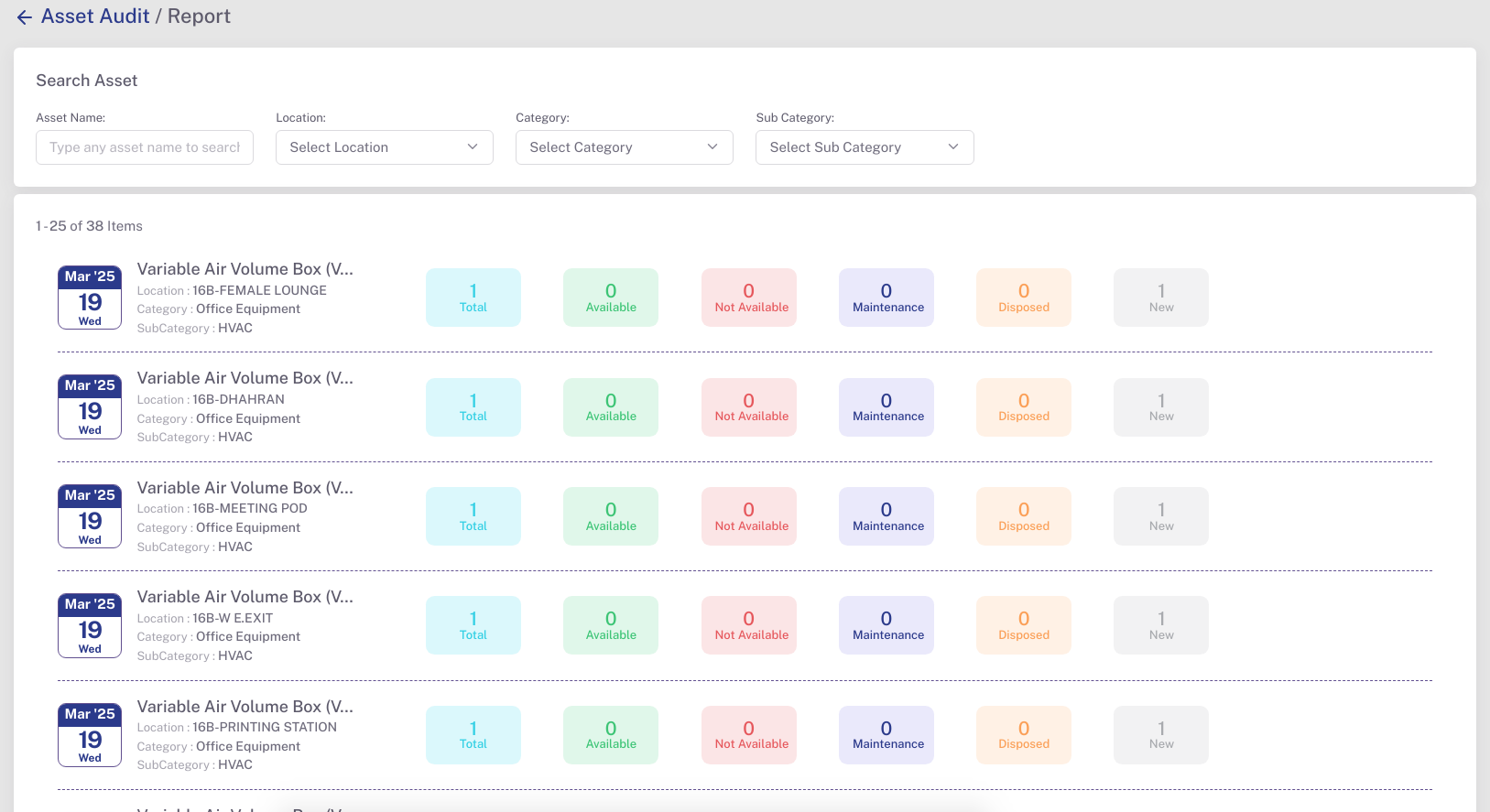
Filter assets by name, location, category, and subcategory.
Presents individual asset records grouped by location and equipment type.
Displays asset condition counts like New, Available, Not Available, Maintenance, and Disposed.
Useful for equipment-level maintenance tracking and history view.
Reports can be filtered using the following parameters:
- Date
- Location
- Category & Subcategory
- Asset Name
These filters help in narrowing down results for specific audit sessions, locations, or types of assets.
Clicking on any report displays a detailed view:
- Scanned By: User who performed the audit
- Location: Audited area or room
- Scanned Date & Time: With start and end time
- Asset Summary: Count of Available, Not Available, Maintenance, Disposed, Unknown, etc.
- Itemized List: Includes Name, RFID, Tag Number, and Status for each scanned asset
This module ensures traceability and improves accountability across audits and locations in the asset management system.
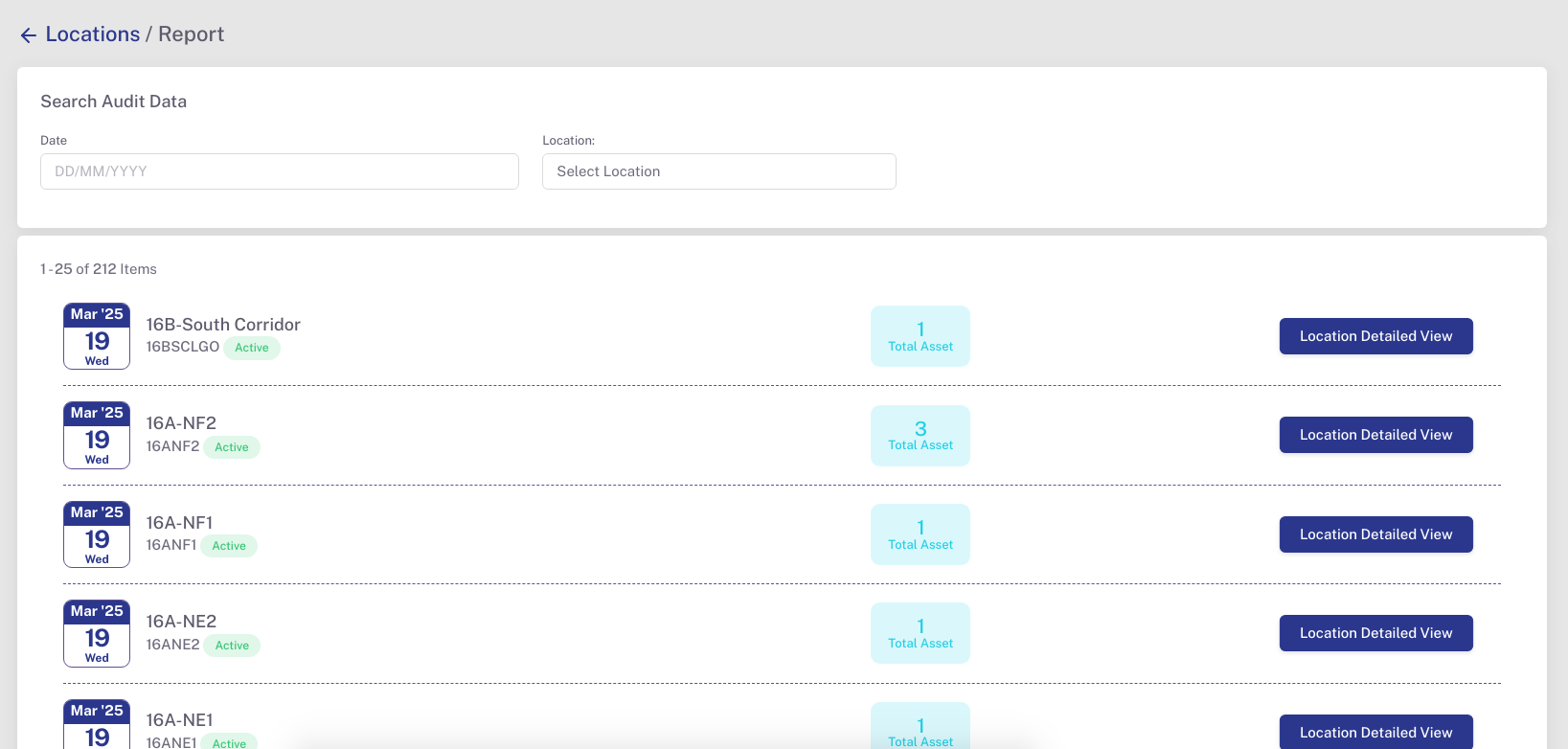
- Locations Reports
- Displays all asset counts per room, corridor, or department.
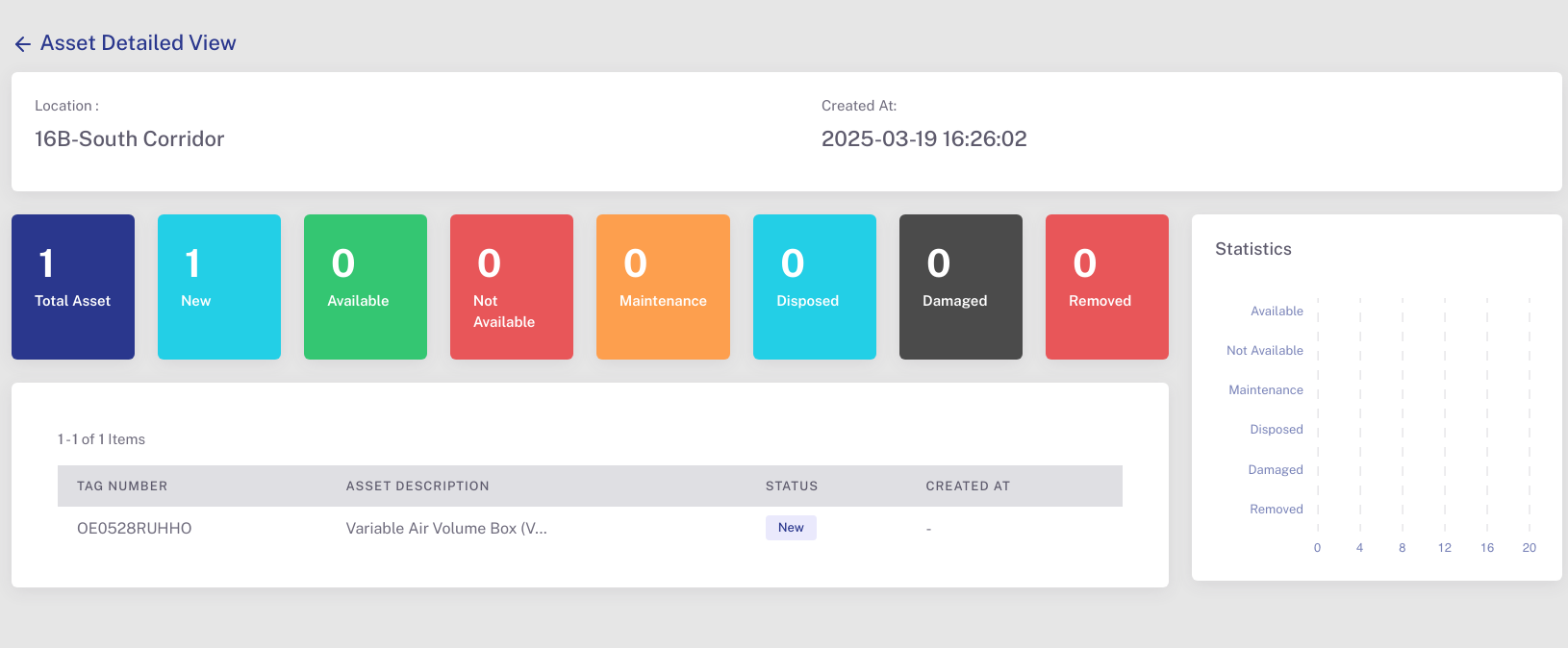
- Summary cards show:
- Total Assets, and the count of each status type.
- Clicking Location Detailed View reveals:
- Each asset’s Tag Number, Type, Status, and associated audit metadata.
- Enhances visibility of asset distribution and movement across the facility.