Appearance
👤 Manage Users
The Users module is used to manage login access for administrators and branch-level users who operate the asset management system. Each user can be assigned a role, status, and branch for appropriate system access.
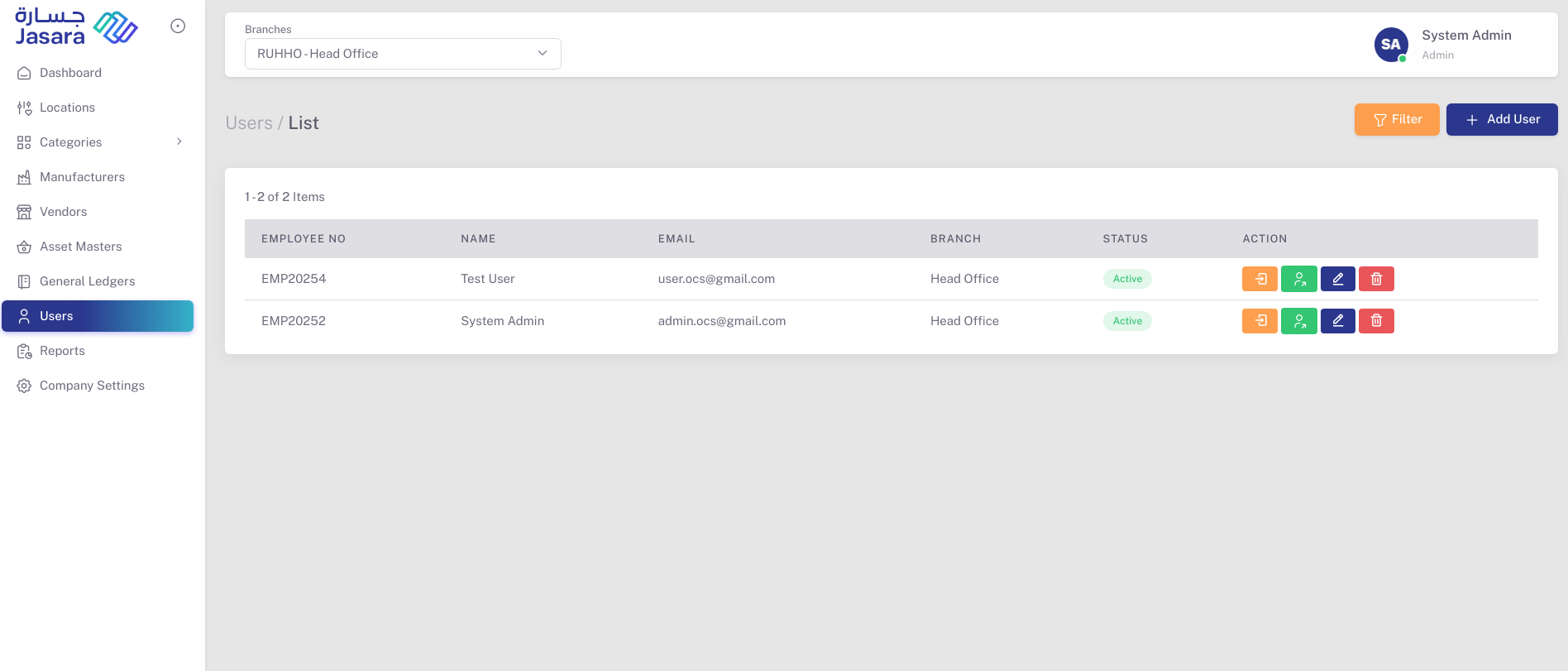
📋 User List
The User List displays all admin and branch users with their details:
- Employee No: Unique employee identifier.
- Name: Full name of the user.
- Email: Registered login email.
- Branch: Assigned location or branch.
- Status: Active or Inactive.
- Actions:
- 🔑 Login As: Temporarily log in as the user (for super admin)
- 👥 Assign Role: Define roles and access levels
- 🖊️ Edit: Modify user details
- 🗑️ Delete: Remove user from the system
➕ Add User
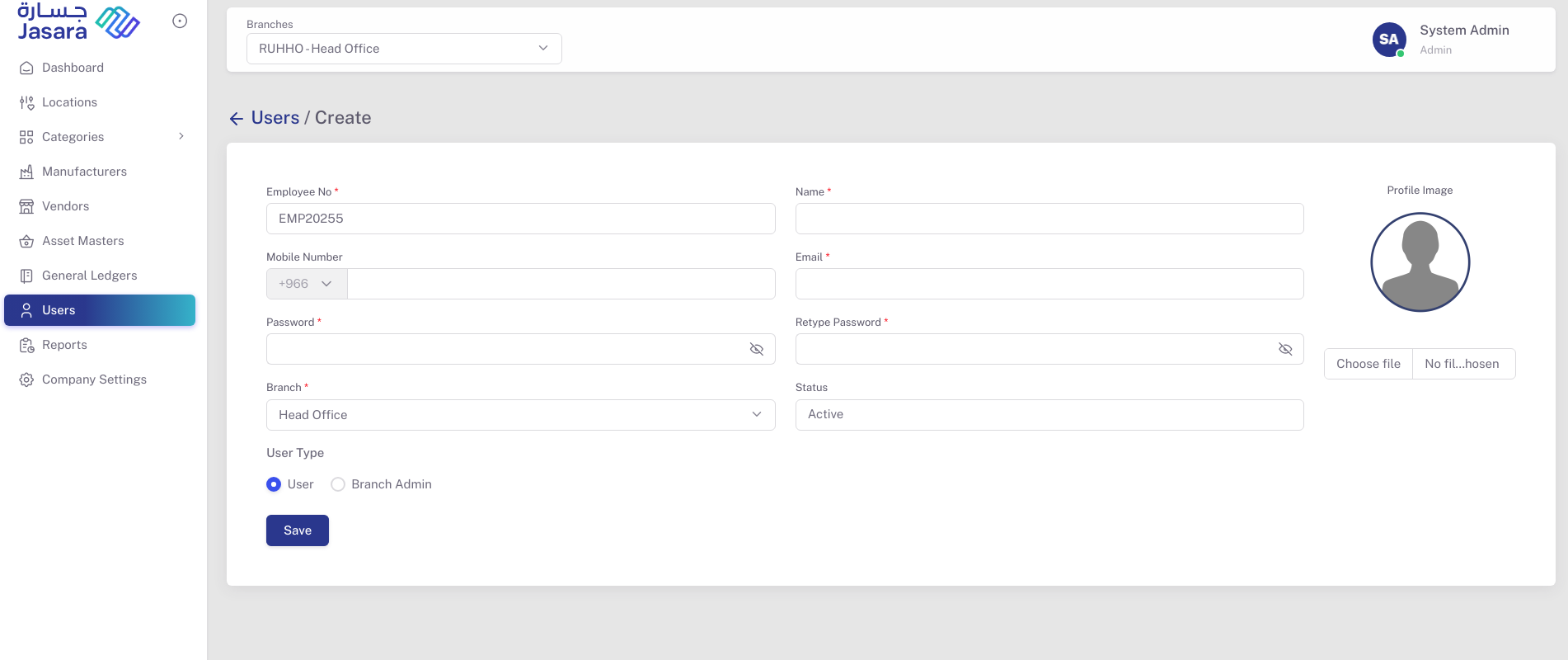
Click + Add User to create a new login user. Enter the following information:
- Employee No: Auto-generated or manually entered ID
- Name: User's full name
- Mobile Number: Contact number
- Email: Login email
- Password & Retype Password: Secure password for login
- Branch: Select the location/branch
- Status: Default is Active
- User Type: Choose from:
- User – Basic user with limited access
- Branch Admin – Admin privileges for a specific branch
- Profile Image (Optional): Upload a user avatar
Once saved, the user gets listed in the User List and is ready to log in to the system based on role-based permissions.
This section ensures secured user management and accountability for all admin activities in the system.