Appearance
🗂️ Manage Categories
The Manage Categories section allows administrators to define and organize all asset classifications within the system. By creating a two-level structure—Main Categories and Sub Categories—users can ensure assets are grouped logically for better tracking, easier reporting, and faster identification across departments. This modular classification supports scalability and consistent data entry across the organization.
🔹 Main Categories
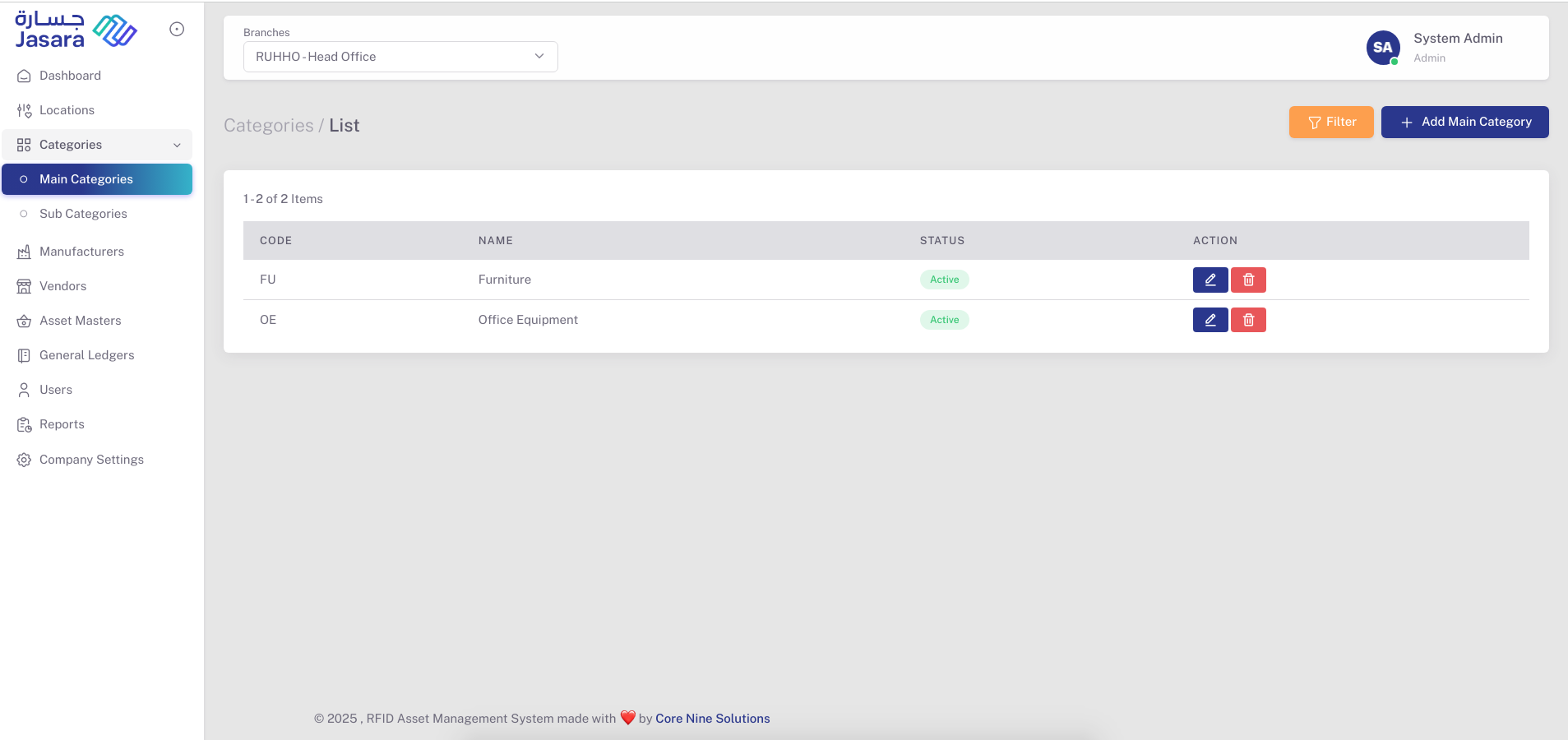
Main Categories are the top-level classification for grouping similar types of assets—like Furniture, IT Equipment, or Office Supplies.
Features:
- Add New Category: Assign a unique Code, Name, and optional Description.
- Status Management: Mark categories as Active or Inactive based on usage.
- Edit/Delete: Update or remove categories as needed.
📸 Screens Shown:
- Main Category List View: Quickly view all categories with Code, Name, Status, and Action buttons (Edit/Delete).
- Create Main Category: Input fields for Code, Name, Description, and Status.
.png)
🔸 Sub Categories
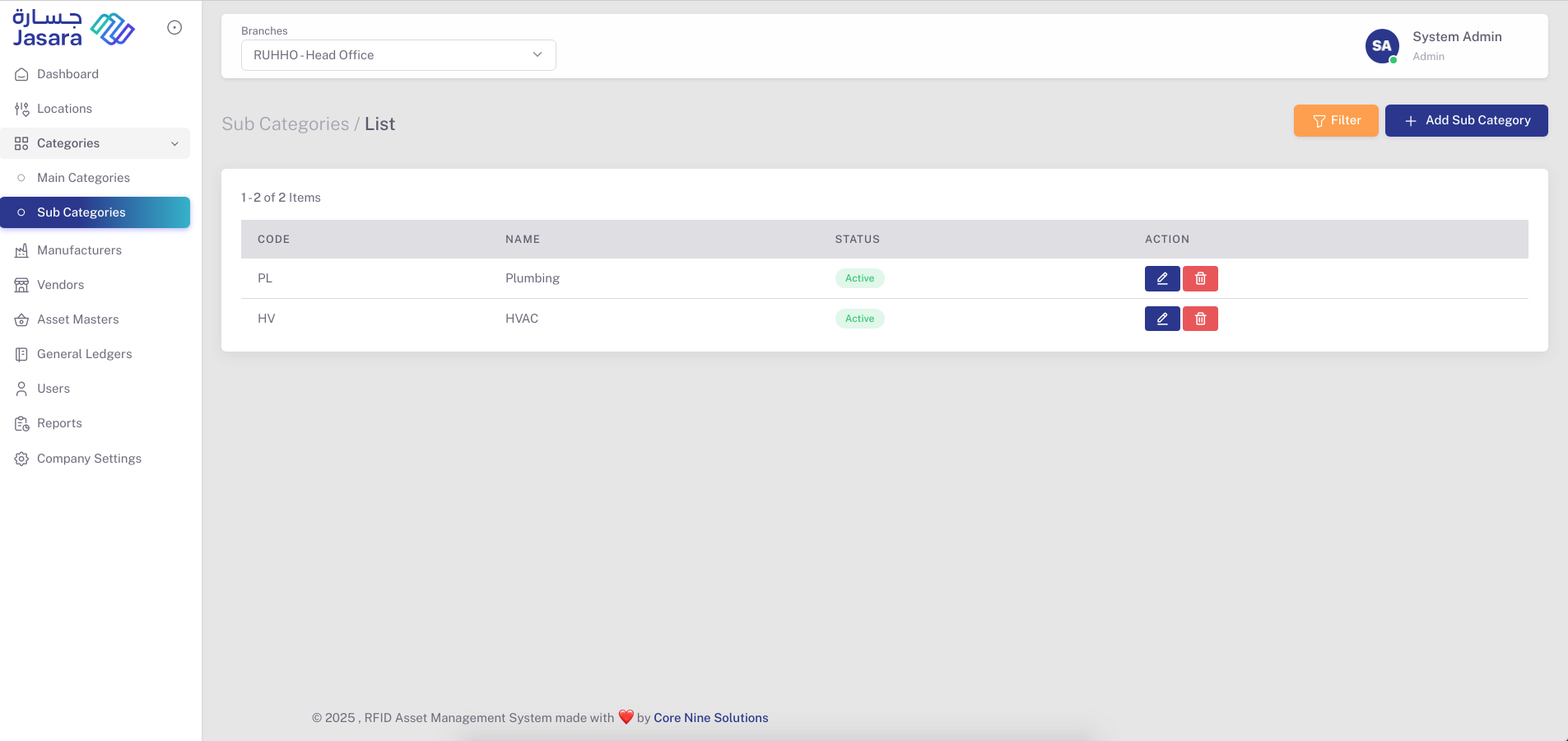
Each Main Category can have multiple Sub Categories for more granular grouping (e.g., under "Furniture" you can have “Chairs,” “Desks,” “Storage Units”).
Features:
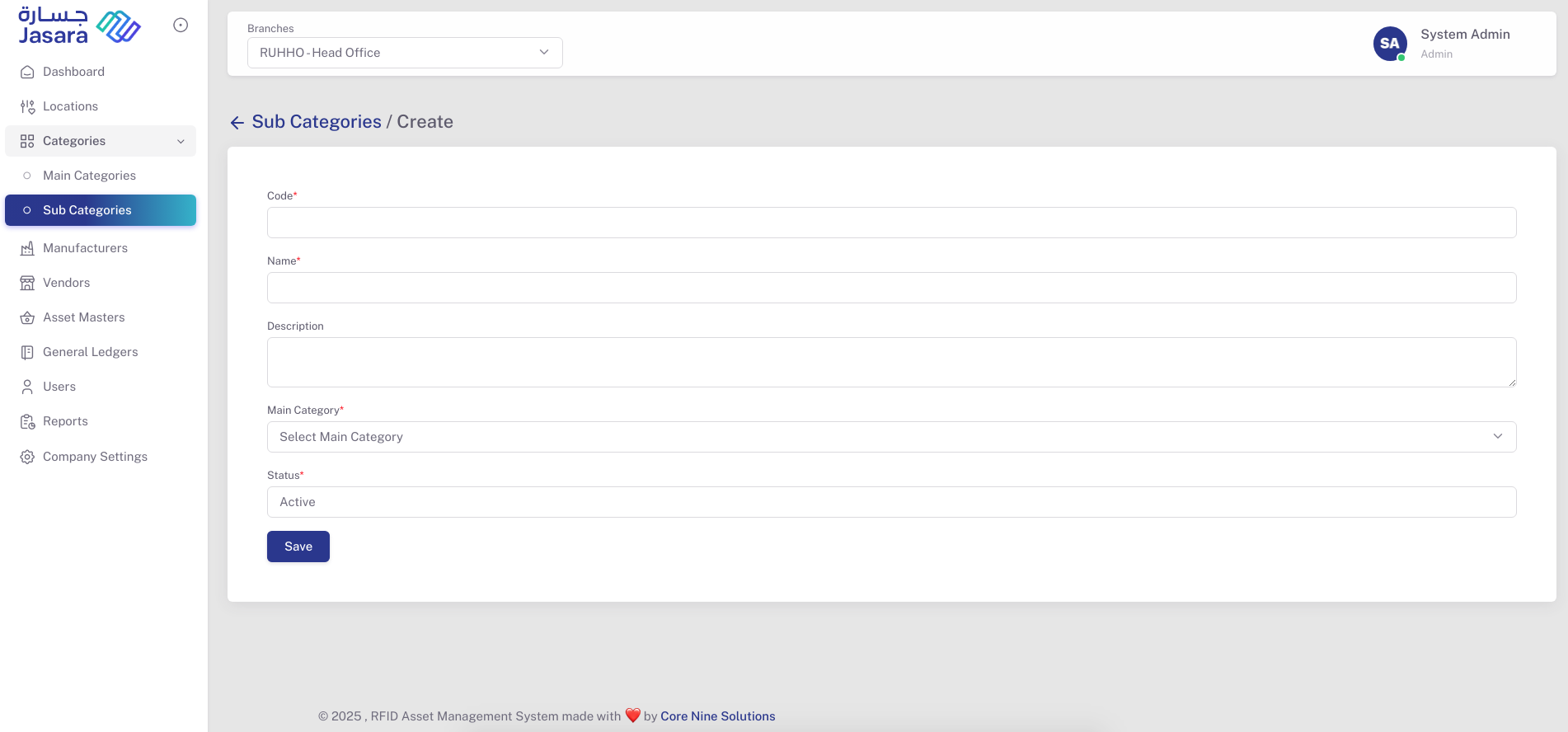
- Add New Sub Category: Assign a Code, Name, Description, and link to a parent Main Category.
- Quick List View: View all Sub Categories including their Main Category linkage.
- Edit/Delete: Update subcategories or remove outdated ones.
📸 Screens Shown:
- Sub Category List View: Displays Code, Name, Status, and management actions.
- Create Sub Category: Select a Main Category, define Sub Category details, and choose status.
✅ Key Benefits:
- Centralized classification system
- Smooth asset entry and reporting
- Reduced duplication and confusion
- Easy maintenance and customization
This structured hierarchy ensures the asset master remains organized, efficient, and scalable across multi-department environments.