Appearance
🏭 Manage Manufacturers
Purpose
Manufacturers are entities that produce or supply the assets tracked in the system. Managing these records ensures traceability, procurement history, and maintenance alignment.
Main Features
- Create new manufacturer entries with complete contact and address information.
- View a list of all manufacturers with search, filter, and quick action options.
- Edit or delete manufacturer records as needed.
📌 Create Manufacturer
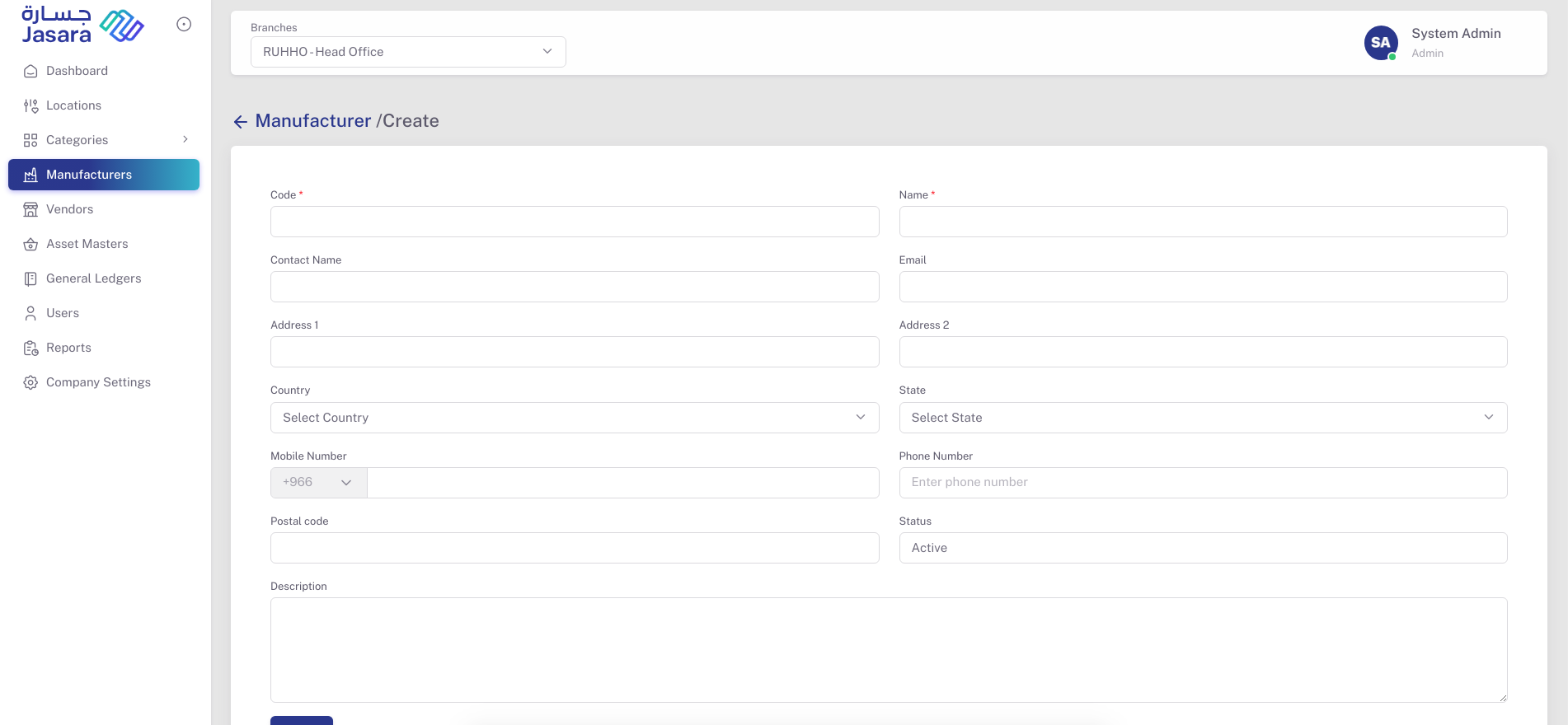
Fields Include:
- Code (e.g.,
BELIMO262) – Unique identifier - Name (e.g.,
Belimo) – Manufacturer’s name - Contact Name – Primary person of contact
- Email – Contact email address
- Address 1 & 2 – Full address
- Country & State – Geographic location
- Mobile Number & Phone Number – Communication details
- Postal Code – Area-specific code
- Description – Any additional details
- Status – Active or Inactive
📋 Manufacturer List
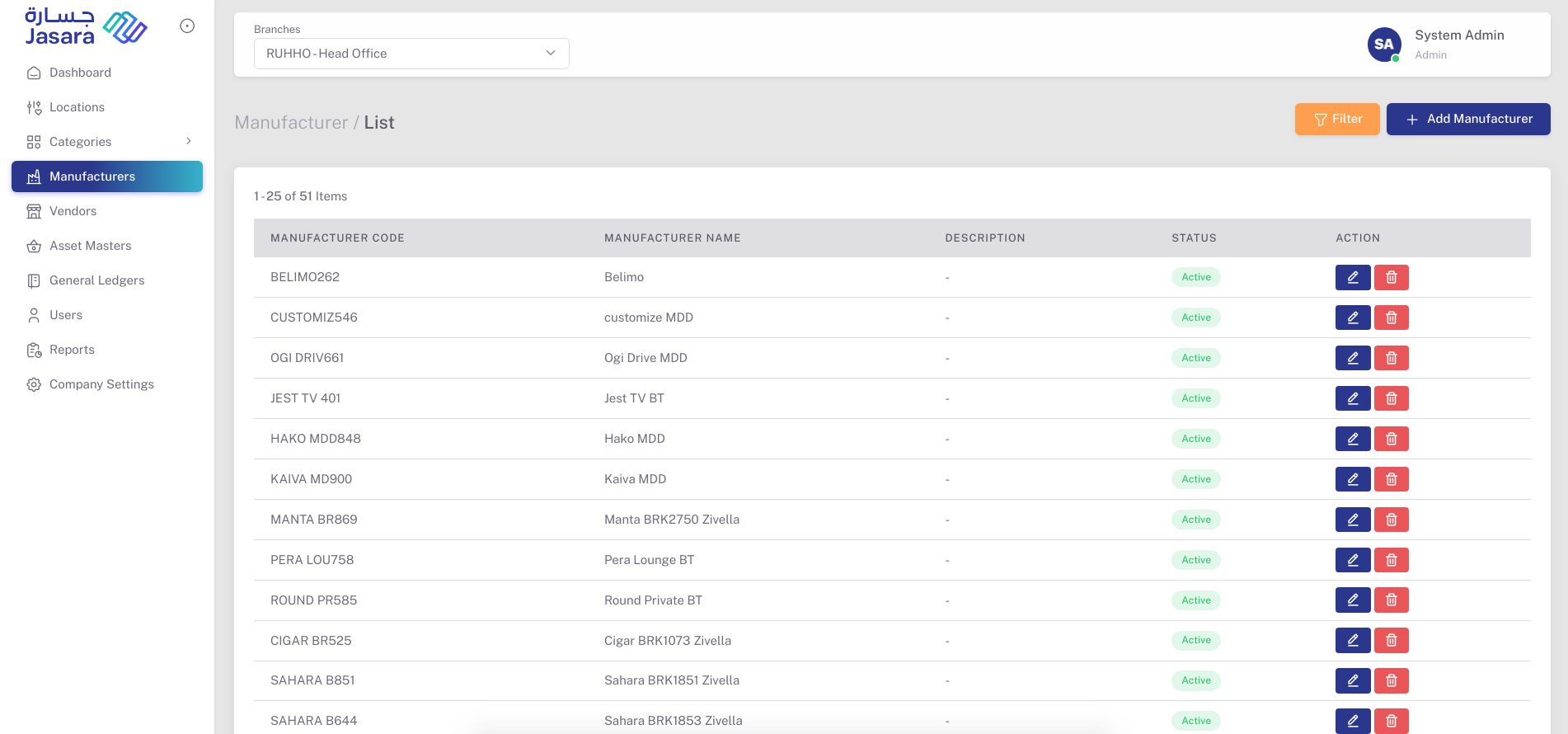
Displays a list of all added manufacturers in a tabular format with the following columns:
- Manufacturer Code
- Manufacturer Name
- Description
- Status
- Action: Edit (✏️) or Delete (🗑️)
The list helps quickly identify available manufacturers and their status. Admins can manage the list with filtering and sorting options.